NBNA · Image generation guide

AI Product Photography Prompts for Generic Visual Concepts

Use AI product-photography prompts to explore a visual direction, not to invent evidence about an item you sell. NBNA currently generates pictures from text. It does not upload, edit or verify your existing product photograph in this workflow.

Open the image generator

Separate a Product Concept from a Product Claim

A generated ceramic cup or bottle is a generic visual concept. The model can invent a different handle, finish, opening, material or proportion from the item on your shelf. If customers need an accurate representation of a real SKU, use verified photographs and truthful specifications. Do not present a text-to-image concept as an exact photo of that item.

This distinction applies even when an image looks photographic. Realistic lighting does not make the object real or its details accurate. NBNA cannot check manufacturing dimensions or validate packaging copy. Use generated concepts for moodboards, background ideas or clearly labelled exploratory artwork, then build the actual listing from verified product information.

Describe Light and Surface Before Adding Detail

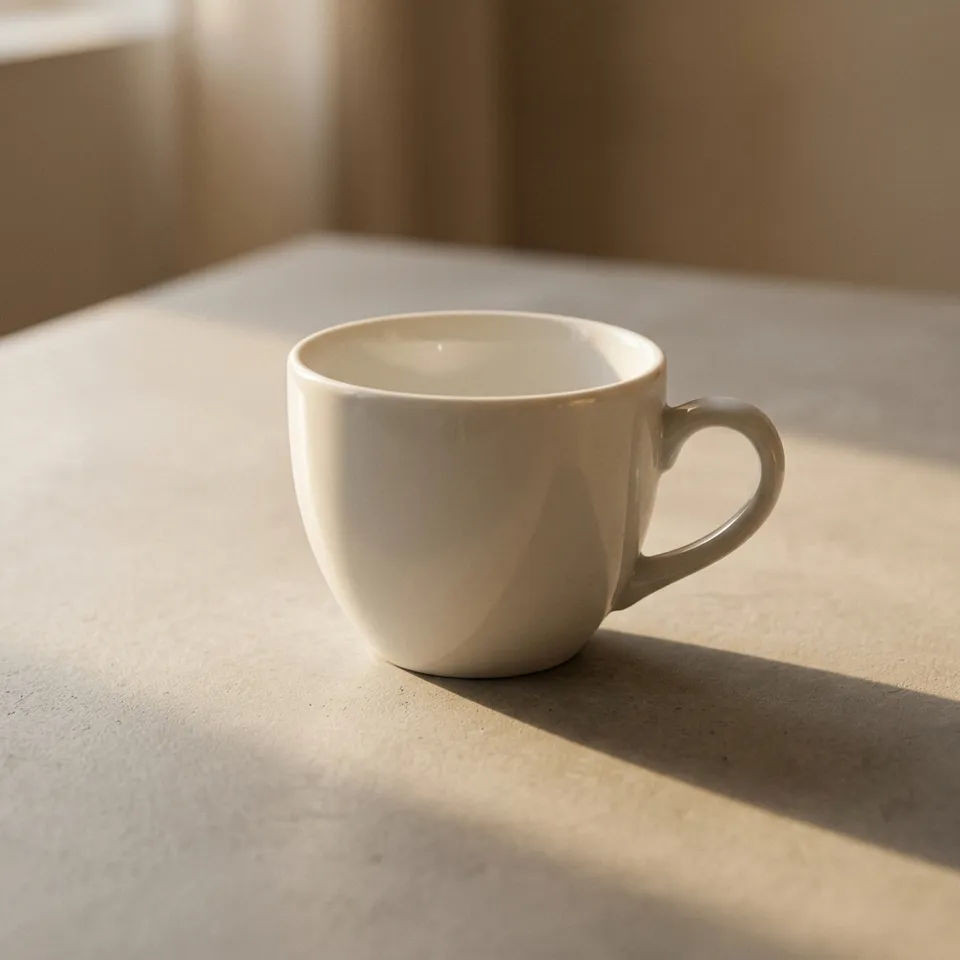
For a calm studio direction, try: “A minimalist studio photograph of a ceramic coffee cup, warm natural light, soft shadows, clean neutral background.” This is an editable prompt suggestion, not a claim that a new cup sample has already been generated. It names the object and visual treatment without asking the model to reproduce a branded product.

Change one decision to explore a different look: cool window light instead of warm light, a matte stone surface instead of a neutral backdrop, or a wider composition instead of a close-up. Keep the subject generic. Avoid inventing a material benefit or feature that the real product does not have. Ask for an arrangement that leaves space for your own factual copy.

Choose Framing for the Final Marketing Placement

Square orientation works for a compact product concept. Landscape can leave space beside the object for a title or interface. Portrait can explore a vertical story or poster composition. All three use the same current one-credit, 1K workflow; choosing portrait does not unlock a higher-resolution model.

Check the actual pixel dimensions of the downloaded file. Tested wide and tall originals are about 0.78% away from their requested mathematical ratio and are preserved without automatic cropping. If a publishing platform requires a strict canvas, handle the final layout deliberately in your editor rather than stretching the product shape.

Review Details That Matter to a Buyer

Look at edges, reflections, handles, seams, labels and repeated objects. Proofread any generated text. Do not rely on an AI-rendered certification mark, trademark, price label or ingredient list. If the prompt introduces identifiable third-party branding, make sure you have the rights and a nonmisleading reason to use it.

An attractive result does not establish ownership, trademark clearance or commercial suitability. Keep concepts separate from verified customer-facing claims, and follow the Acceptable Use Policy. Do not create deceptive endorsements, impersonate a person or use generated images to mislead a buyer about what will be delivered.

Iterate Within a Clear Credit and Storage Budget

Prepare a short brief before generating and decide which visual variable you will change next. New accounts receive three trial credits once, and each current generation costs one credit. A prompt example only fills the editor; you must submit the actual generation yourself. Regenerating is another task, not a free correction of a previous output.

Save useful results by downloading the original file. Private generated images are retained for 30 days, so the account history is not a permanent campaign archive. Copy the corresponding prompt and note what you changed between variations. The displayed one-time packs are available purchases rather than active recurring plans.

Nano Banana Prompt Examples

Real NBNA outputs from four prompts, including landscape and poster variations. Use a prompt to prepare the editor; generating a new image is a separate action. These public samples are not your account history. Gallery images are optimized previews of the tested originals.

A white ceramic cup with soft window light on a neutral surface

Sample output

Studio ceramic cup

A plain white ceramic coffee cup on a neutral studio surface, warm window light, soft shadow, realistic product concept, no text or logo

Nano Banana 2.1 via Kie · 1K · 1:1 · 1024 × 1024

Actual generated sample. Results vary.