Nano Banana Prompts & Examples for Image Generation | NBNA
Find ready-to-copy Nano Banana prompts with real 1K sample images. Browse product concepts, cyberpunk streets, landscapes and social posters, copy the complete prompt, or use it as a starting point in the generator. The gallery comes first; practical writing tips follow below. Copying or preparing a prompt never starts a generation or spends a credit. Samples show actual outputs, not guaranteed results.
Copy a prompt or open it in the generator. Neither action generates an image or uses credits.
Product
Real NBNA outputs from four prompts, including landscape and poster variations. Use a prompt to prepare the editor; generating a new image is a separate action. These public samples are not your account history. Gallery images are optimized previews of the tested originals.
Sample output
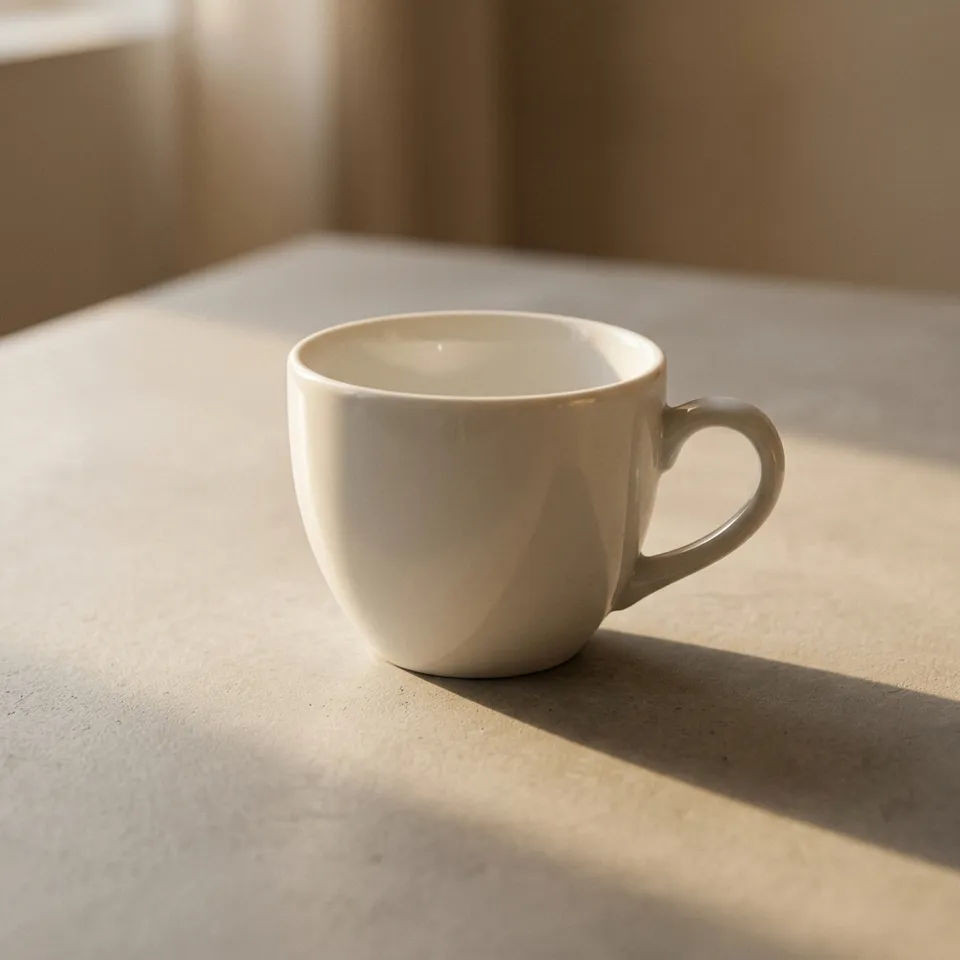
Studio ceramic cup
A plain white ceramic coffee cup on a neutral studio surface, warm window light, soft shadow, realistic product concept, no text or logo
Real NBNA outputs from four prompts, including landscape and poster variations. Use a prompt to prepare the editor; generating a new image is a separate action. These public samples are not your account history. Gallery images are optimized previews of the tested originals.
Sample output
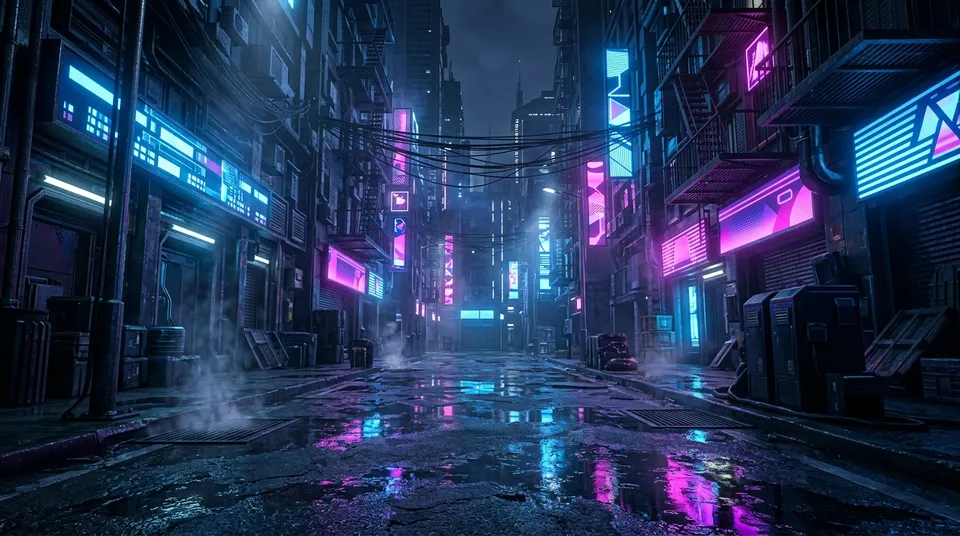
Neon after midnight
A cinematic futuristic street at midnight, blue and magenta neon reflections on wet asphalt, wide composition, realistic lighting, no people, no text or logos
Nano Banana 2.1 via Kie · 1K · 16:9 · 1376 × 768
Actual generated sample. Results vary. Native dimensions approximate the requested ratio; the original is not cropped.
Real NBNA outputs from four prompts, including landscape and poster variations. Use a prompt to prepare the editor; generating a new image is a separate action. These public samples are not your account history. Gallery images are optimized previews of the tested originals.
Sample output
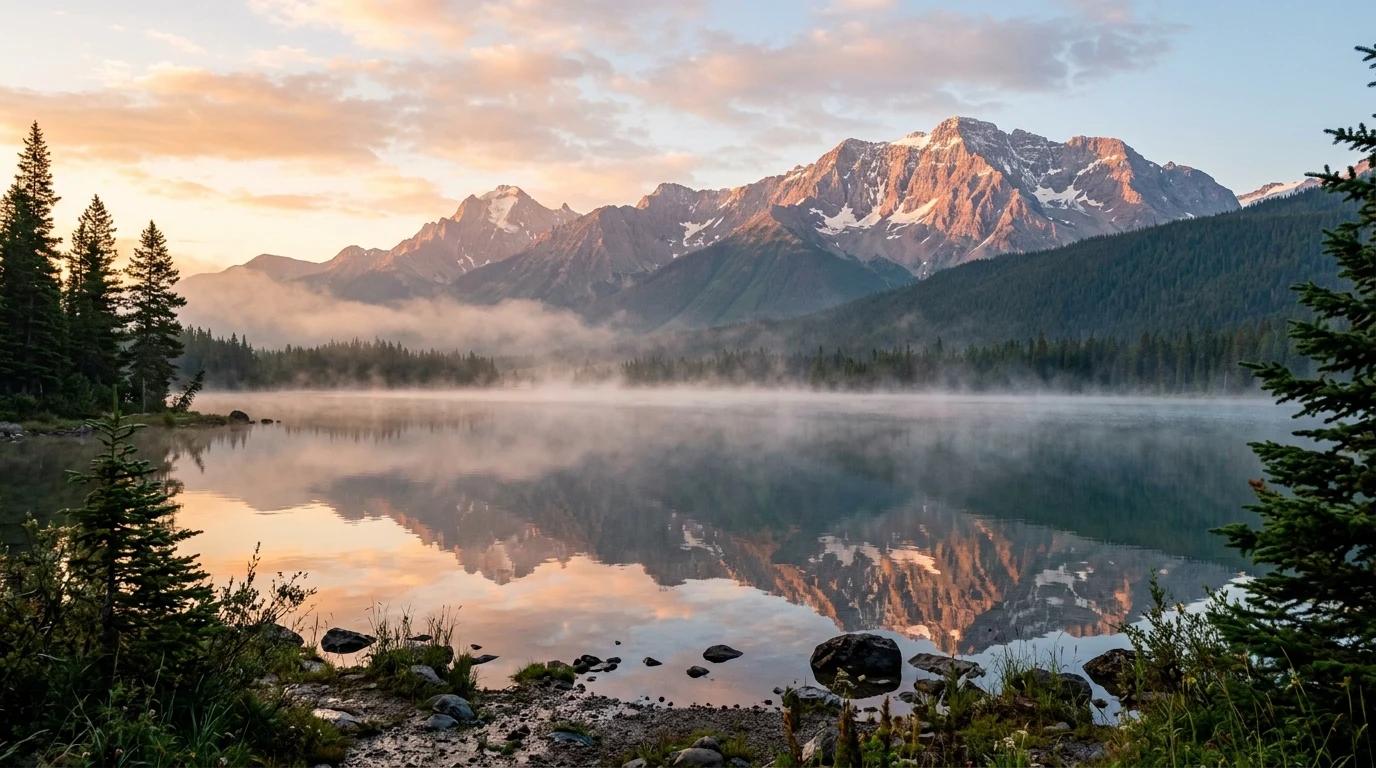
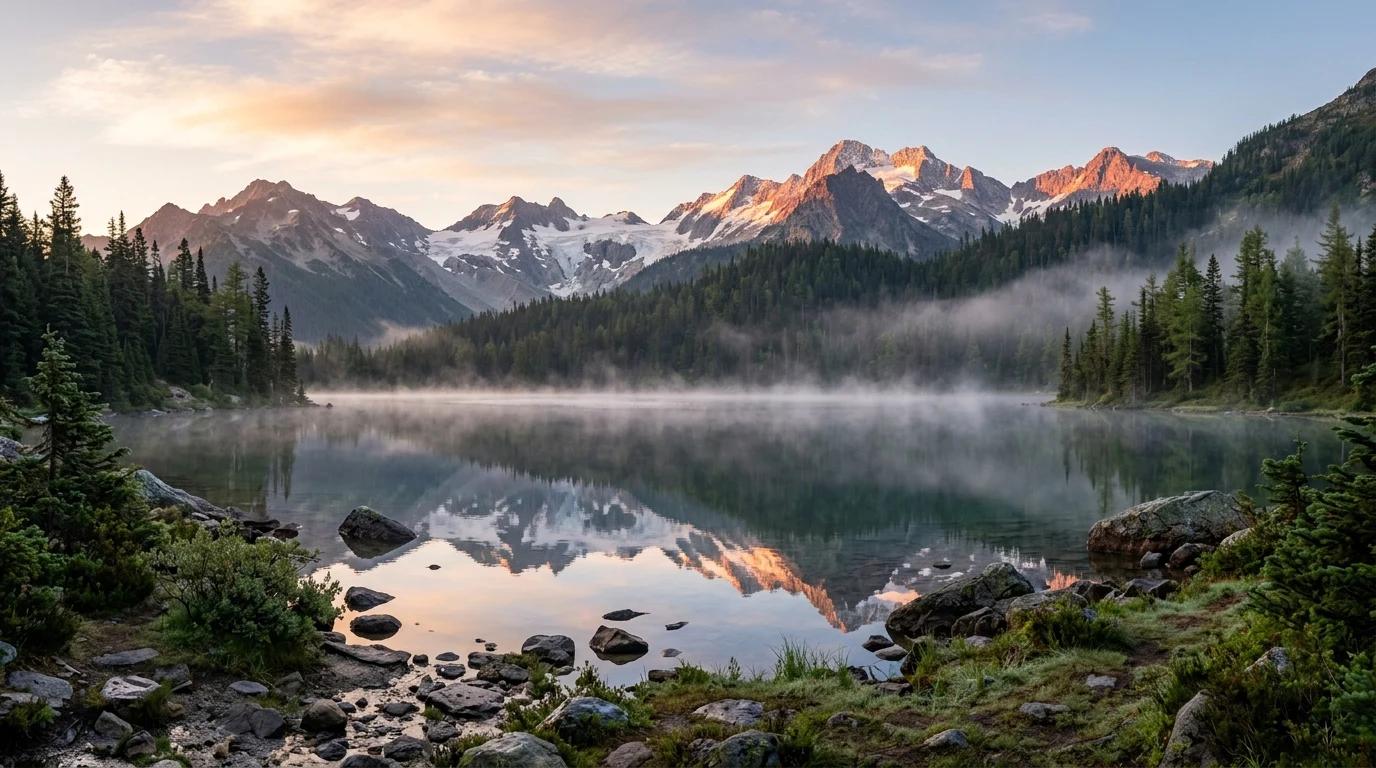
Alpine morning · variation A
A tranquil alpine lake at sunrise, mountain reflections, mist over the water, natural colors, detailed landscape photography
Nano Banana 2.1 via Kie · 1K · 16:9 · 1376 × 768
Same-prompt variation: A and B use the identical prompt, not different prompt treatments. Actual generated sample. Results vary. Native dimensions approximate the requested ratio; the original is not cropped.
Real NBNA outputs from four prompts, including landscape and poster variations. Use a prompt to prepare the editor; generating a new image is a separate action. These public samples are not your account history. Gallery images are optimized previews of the tested originals.
Sample output
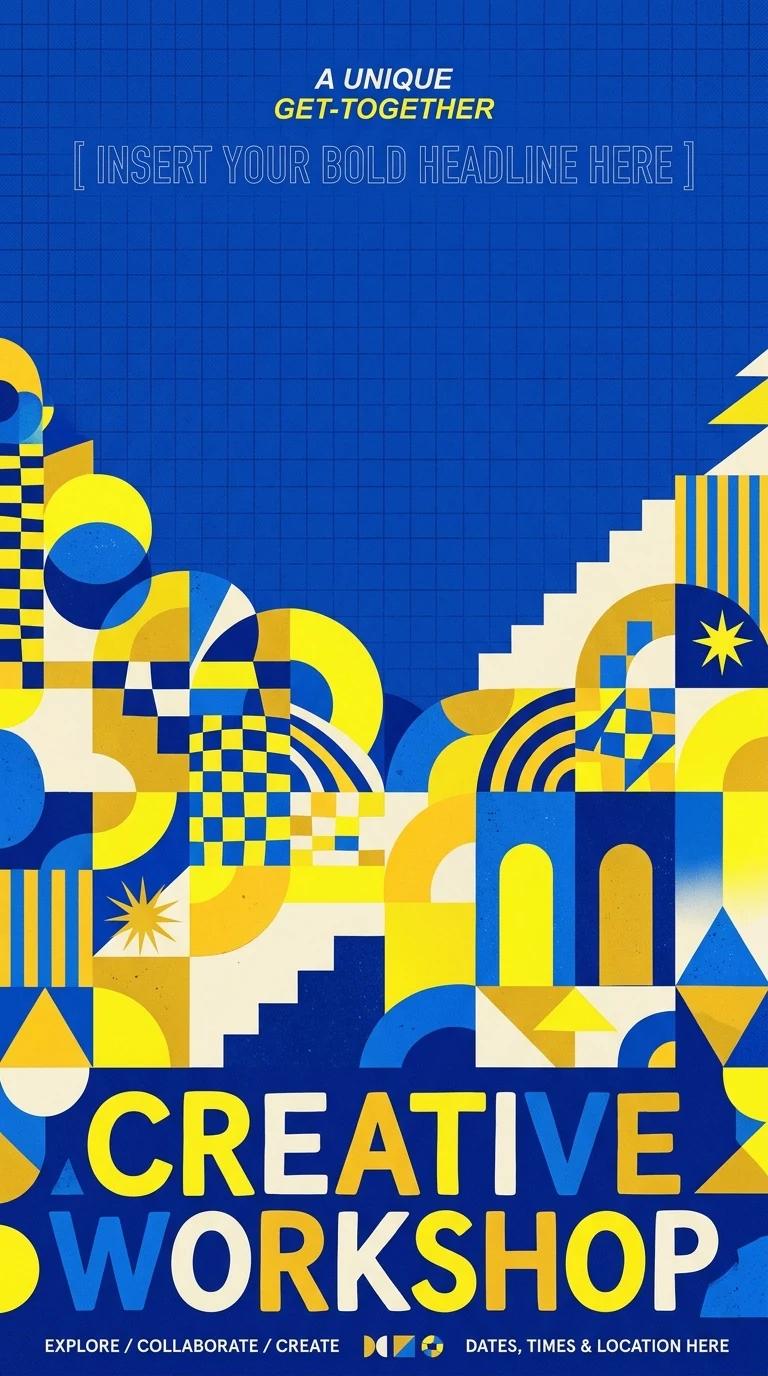
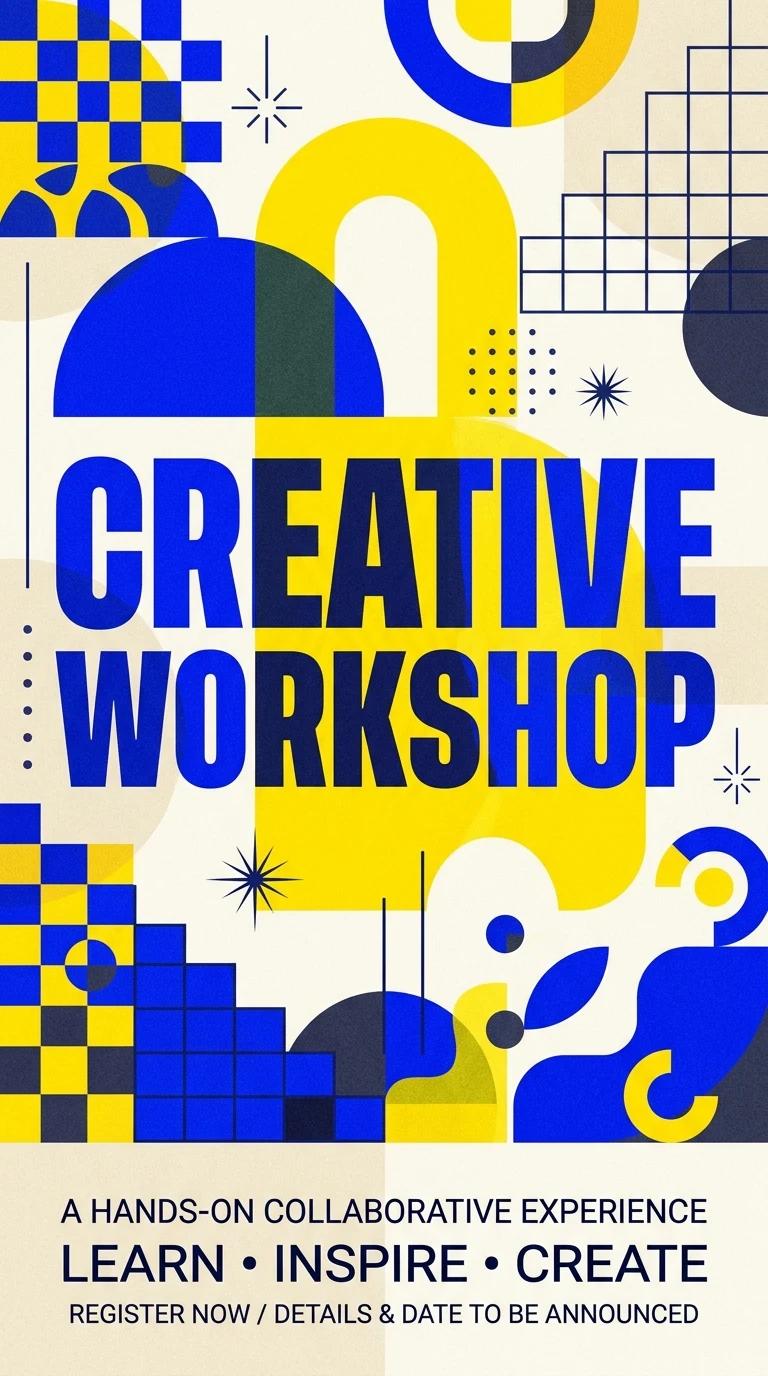
Creative workshop · variation A
A bold modern poster for a creative workshop, abstract geometric shapes, cobalt blue and yellow palette, generous space for a headline
Nano Banana 2.1 via Kie · 1K · 9:16 · 768 × 1376
Same-prompt variation: A and B use the identical prompt, not different prompt treatments. Actual generated sample. Results vary. Native dimensions approximate the requested ratio; the original is not cropped.
Name the subject first. Add the place or surface around it, explain the composition, choose the lighting and finish with a visual style. “A ceramic cup, neutral studio background, centered close-up, warm window light, realistic product photograph” is a compact brief with decisions you can inspect in the output. Leave out details that do not serve your goal.
Use concrete language for position and scale. “A small cup in the lower third with room above for a headline” is more useful than “perfect composition.” Avoid contradictory lighting or camera instructions. If you want a restrained photograph, a long collection of unrelated painting and animation styles can make the intended result less clear.
Landscape Prompts: Place, Atmosphere and Framing
A tranquil alpine lake at sunrise, mountain reflections, mist over the water, natural colors, detailed landscape photography
Our internal tests of the lake prompt produced different mountains, shoreline details and lighting. Reusing a brief is not proof that the model reproduces a fixed scene. To explore another direction, change sunrise to an overcast afternoon or replace a mountain lake with a coastal cliff. Keep the other decisions stable so you can compare what changed.
Choose landscape orientation for a wide scene. Check where the horizon falls and whether the image leaves space for the text or interface it will sit behind. NBNA’s tested 16:9 originals use native 1376 × 768 dimensions, so check your final canvas rather than assuming an exact mathematical crop.
Social Poster Prompts: Layout Before Lettering
A bold modern poster for a creative workshop, abstract geometric shapes, cobalt blue and yellow palette, generous space for a headline
The poster outputs show variations in the blue-and-yellow palette and geometric arrangement. The model also generated lettering even though the brief focused on visual space. Treat that text as something to proofread or replace in a design editor. It is not a guarantee of exact event names, dates, URLs or brand marks.
For a campaign background, name the palette and desired empty areas, then add your verified headline afterwards. Use portrait orientation for a vertical poster concept. Do not ask for another company’s logo or a misleading endorsement; the same content rules apply to marketing artwork and personal experiments.
A Product Concept Prompt Without a Product Upload
Try: “A minimalist studio photograph of a ceramic coffee cup, warm natural light, soft shadows, clean neutral background.” This is a proposed prompt, not a displayed sample of a new generation. It describes a generic object and a photographic direction. Choose square orientation if the final design is a compact product card.
For an actual ecommerce item, generated details may be wrong. Text-to-image cannot verify the exact shape, finish or specifications of your SKU. Use the concept to explore a visual treatment, then use accurate product photography for claims about the item being sold. The separate product-photography guide explains this distinction in more detail.
Improve One Variable at a Time
Save your prompt and decide which part of the output needs improvement: subject, framing, light or style. Rewrite that part rather than appending a dozen unrelated constraints. Each new generation is another task and costs one credit, so inspect your current image before creating another variation.
There is no separate negative-prompt field or fixed-seed control in this workflow. Important limitations belong in your main description, and you still need to verify compliance in the output. Copying a sample prompt does not promise identical pixels. Reuse it as a starting point, review the result and download anything you want to keep beyond the 30-day private retention period.
Prompting a model you run yourself
Prompts written for a hosted generator do not always transfer to an open-weights model with its own sampling settings. If you plan to run MOSS-Image locally, the setup notes cover the layout JSON, the ComfyUI workflow and the limits to expect.
MOSS-Image ComfyUI setupOpenMOSS released a 5B text-to-image model with Apache-2.0 weights, JSON layout prompts and ComfyUI support on October 16, 2026. The guide covers setup and how its documented text rendering compares with Qwen-Image and Nano Banana.
Your choice of analytics
Only with your permission, Google Analytics and Microsoft Clarity measure visits and interactions. Declining does not affect login, credits or generation. Turning off enabled analytics reloads this page; unsaved input may be lost.